 LINKINFO
Raven lives in the menu bar and on your desktop, thanks to its widget. At a glance, you see what the CPU, memory, disk and network are doing; with one click, you open a full dashboard, the week's history and maintenance tools that replace several paid utilities. Raven is free, with no ads and no account to create.
What Raven does
Menu Bar
The key numbers, updated every second, without opening a window.
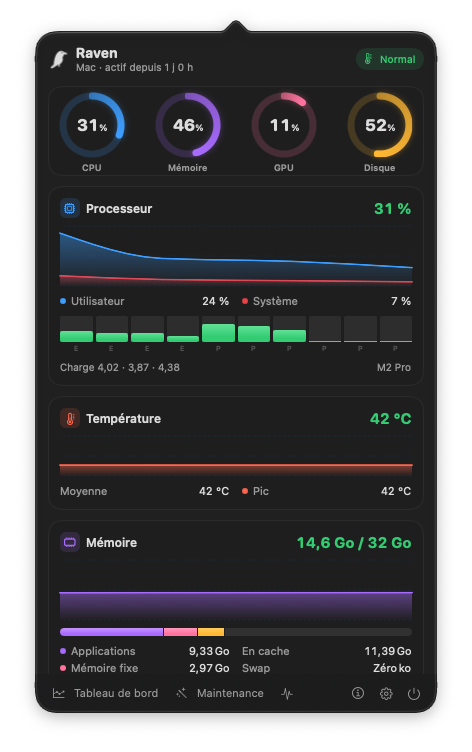
- Compact gauges of your choice: CPU, memory, GPU, system disk, network speeds and CPU temperature.
- The raven turns red while an alert is active.
- One click opens a panel with the gauges, graphs of the last few minutes, disks, battery and the most demanding processes.
- Adjustable refresh rate: 1, 2 or 5 seconds. The menu bar keeps updating even while a menu is open.
Widget
Your readings on the desktop or in Notification Center, without opening Raven.
- Three sizes to choose from. Small: CPU and memory gauges, with CPU temperature.
- Medium: CPU, memory, GPU and system disk gauges.
- Large: graphs of the last 10 minutes for CPU, memory and temperature, free disk space and current alert.
- Updated every second by Raven, without flickering; the raven turns red when an alert is active.
- Add it from the desktop: right-click, “Edit Widgets”, then Raven.
Dashboard
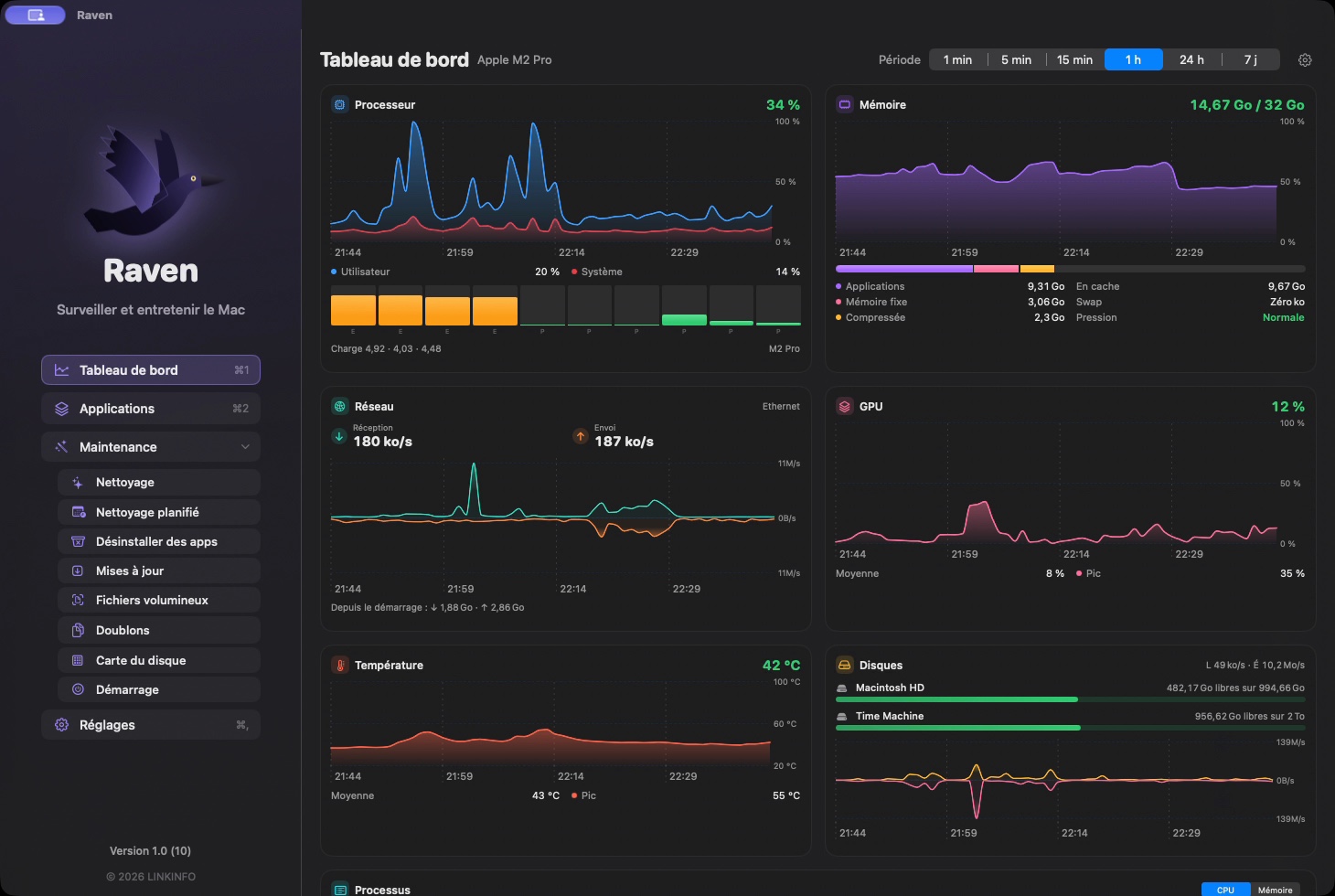
All the readings, full size, with their history.
- CPU: total, user and system load, each core (performance and efficiency), load average.
- Memory: apps, wired, compressed, cached, swap and memory pressure.
- Network (received and sent), GPU, temperature, disks (free space on each volume, reads and writes).
- The 10 processes using the most CPU or memory, and battery status on laptops.
- Time ranges from 1 minute to 7 days: Raven keeps a per-minute average for the whole week, even after a restart.
App Usage
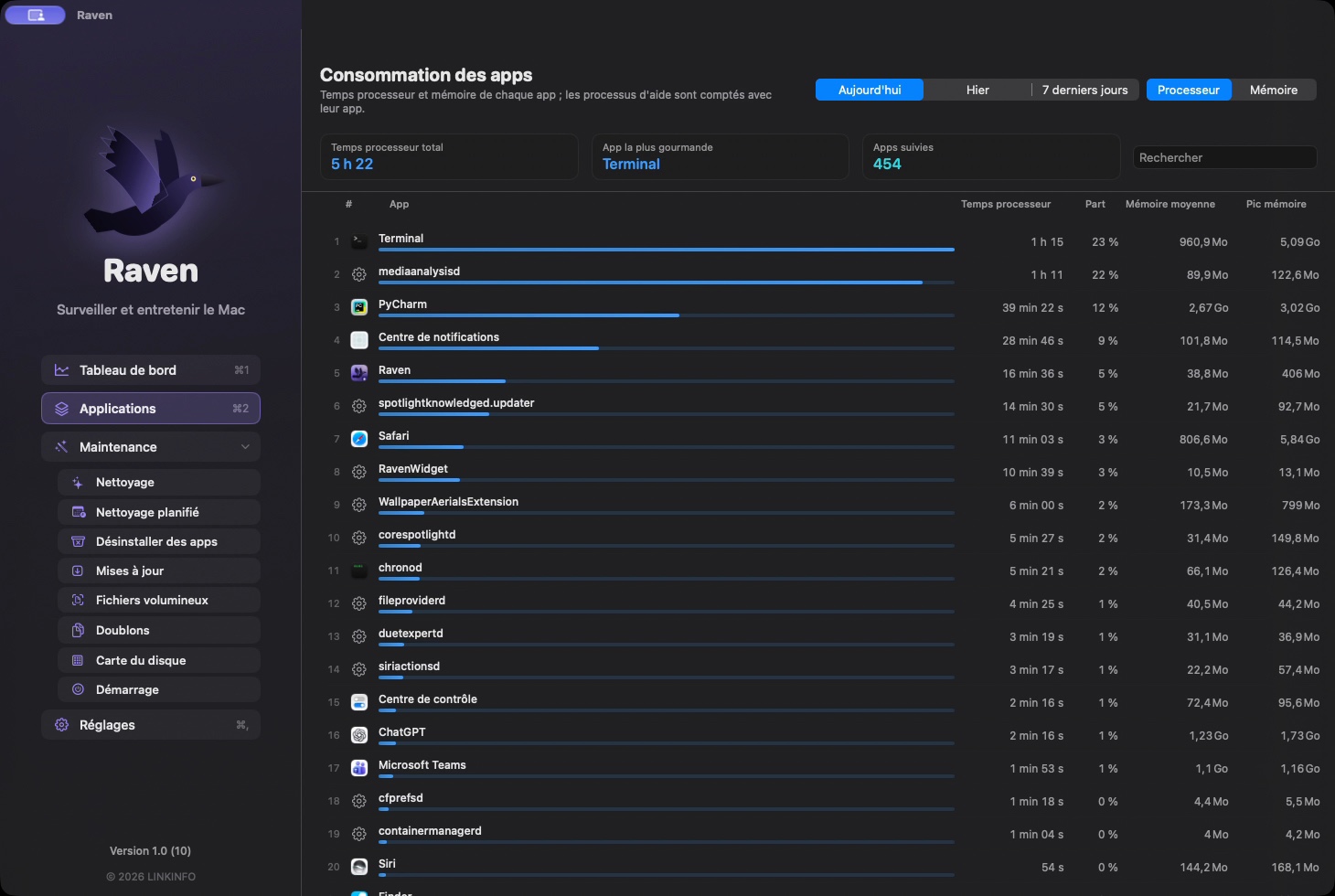
Which apps really made your Mac work today, yesterday or this week.
- Ranking by CPU time or average memory, with each app's share and its peak memory.
- Helper processes (browser tabs, extensions, rendering engines) are counted with their app, as in Activity Monitor.
- Search by name and jump straight to the app in the Finder.
Alerts
A notification when something goes wrong, not at every passing spike.
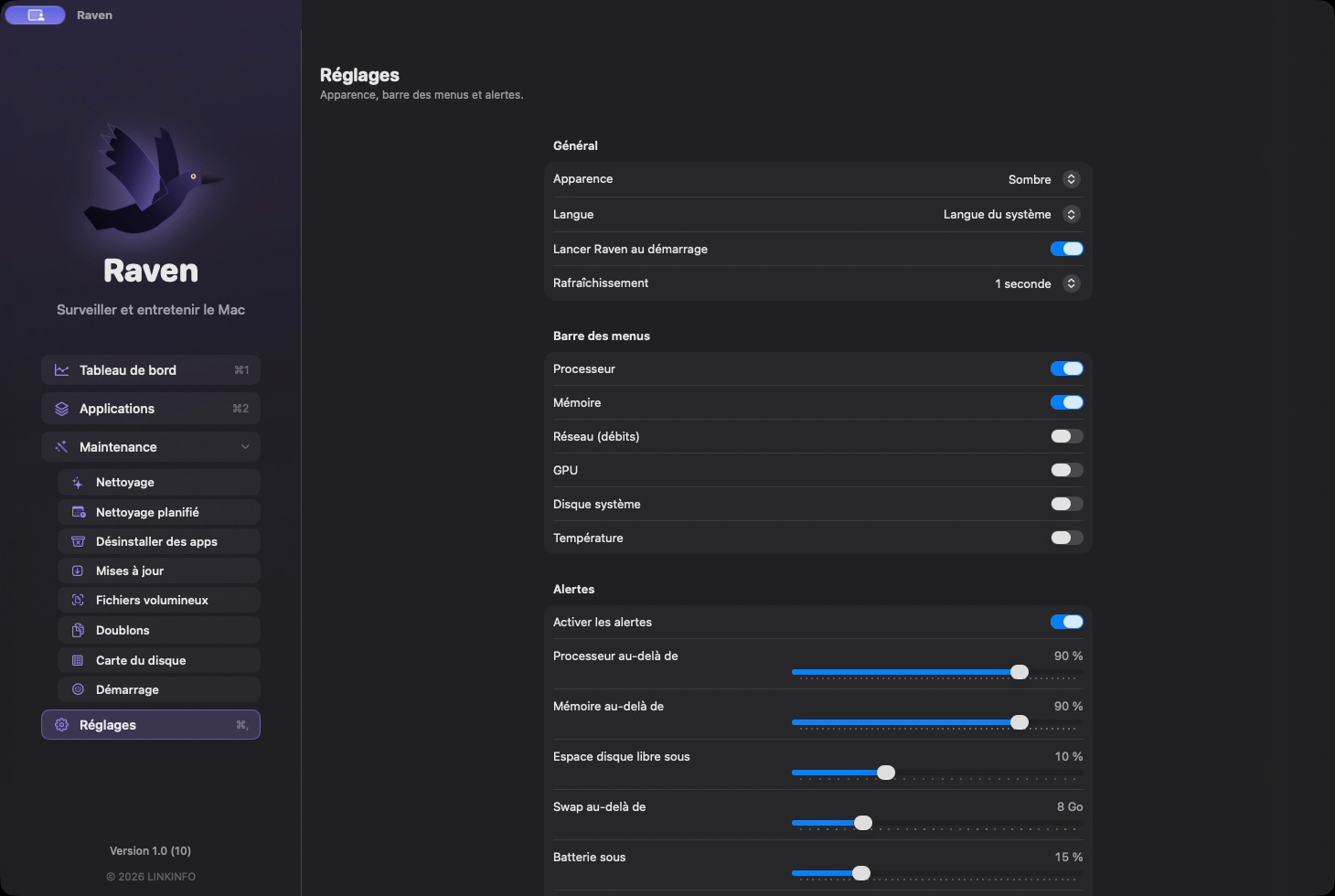
- Adjustable thresholds for CPU, memory, GPU, free disk space, swap and battery.
- An alert is only sent if the threshold is exceeded for a while (30 seconds by default) and isn't repeated before the delay you choose.
- Critical memory pressure and overheating always trigger an alert.
Maintenance
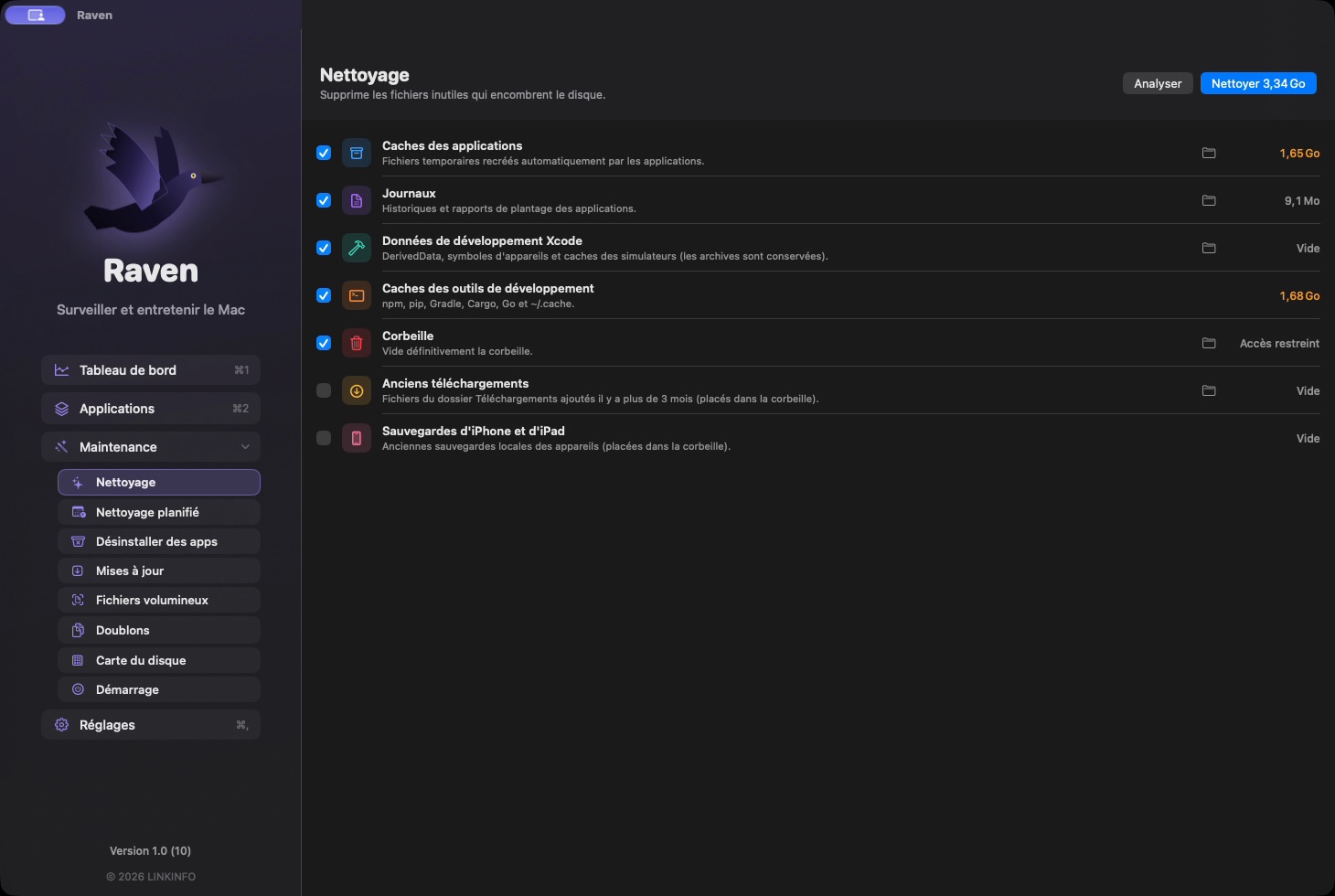
Reclaim space and keep your Mac clean, all in the same window.
- Cleanup: app caches, logs, Xcode developer data, npm, pip, Gradle, Cargo and Go caches, Trash, old downloads, old iPhone backups. Each category is measured before cleaning.
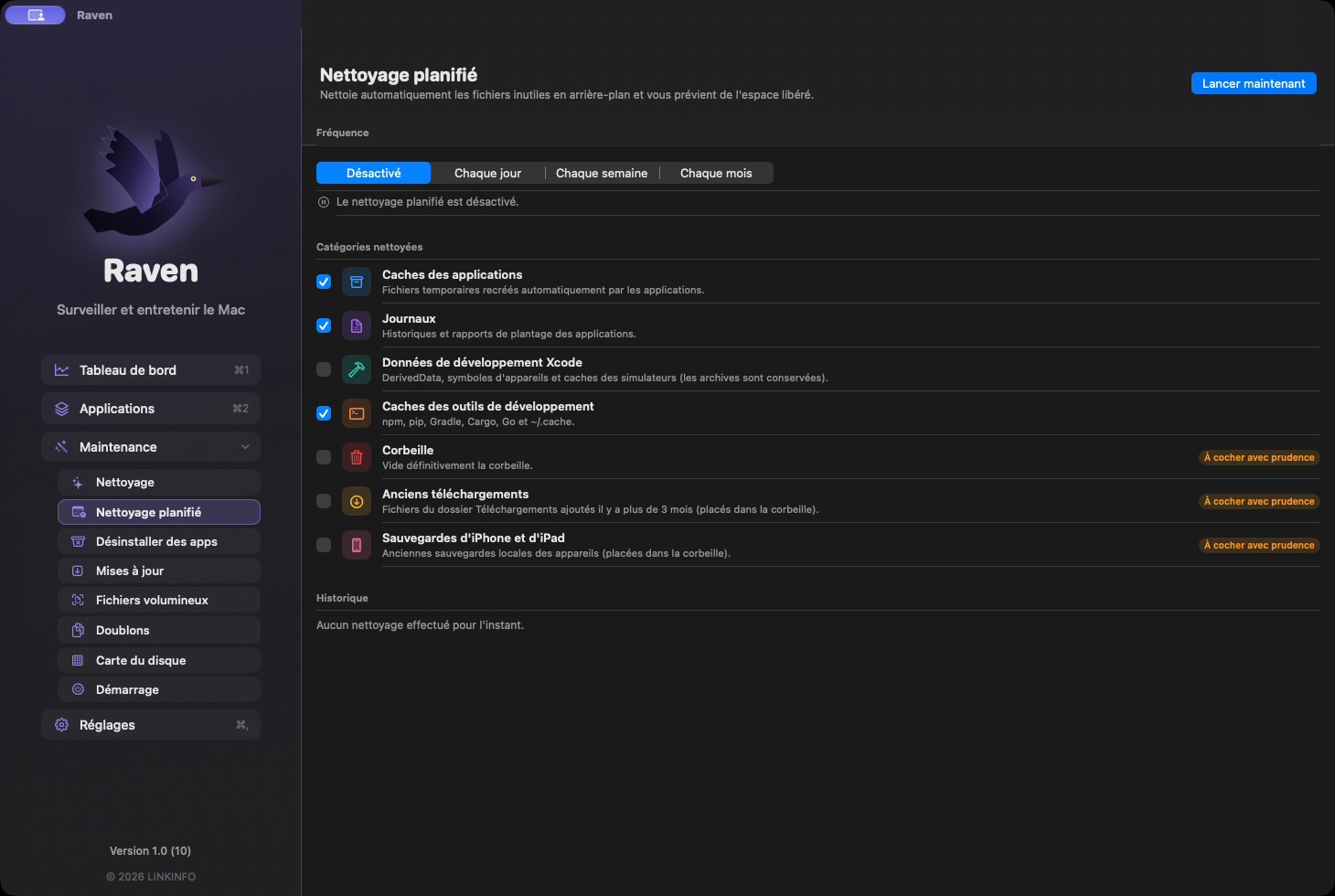
- Scheduled Cleanup every day, week or month, on the categories you choose, with a notification of the space freed.
- Complete uninstall: the app and all its leftovers (preferences, caches, containers, launch agents) go to the Trash.
- Duplicates: identical files in your folders, verified by checksum; one copy is always kept.
- Disk Map: where your space goes, folder by folder, as a list and as a map colored by file type.
- Large Files and services launched at startup, with one-click removal.
- Every deletion is confirmed in the window and goes through the Trash whenever possible.
App Updates
New versions of your apps, installed without leaving Raven.
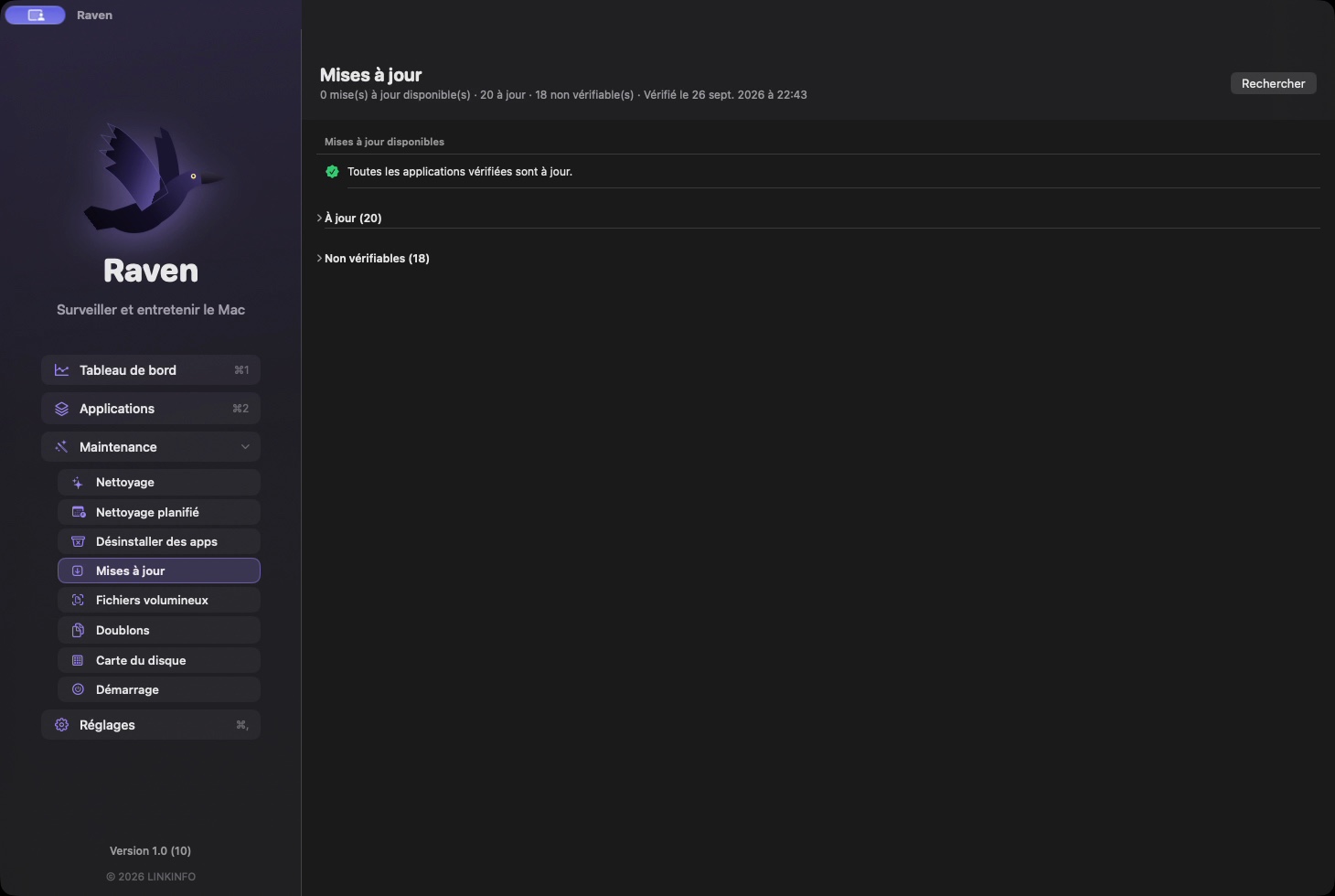
- Checks apps from the App Store, apps updated by their developer and apps installed with Homebrew.
- Installs the update: download, check of the signature and Apple notarization, replacement of the old version (moved to the Trash).
- If the administrator password is required, you enter it in Raven's window.
And Also
The little everyday details.
- Dark (default) or light appearance, in English, French and Spanish.
- Opens at login; Dock icon only while the dashboard is open.
In pictures
A coffee for what's next
Raven is free, ad-free, and will stay that way. I develop it in my spare time: every coffee helps fund the next versions, fixes and new features, and tells me the app is useful to you.
Installation
- Download the .zip fileIt unzips on its own in the Downloads folder.
- Drag Raven to ApplicationsIn the Finder, into your Mac's Applications folder.
- Open RavenThe app is signed and notarized by Apple: it opens without a warning.
Requirements
- Free, with no ads and no account to create.
- Available in English, French and Spanish: the app follows your Mac's language, or the one chosen in its settings.
- macOS 14 Sonoma or later.
- Mac with Apple silicon or Intel processor (CPU temperature is read on Apple silicon).
- Full Disk Access recommended for cleanup and the disk map: Raven guides you through turning it on.


